MODEL CONTEXT PROTOCOL
Your assistant can make maps now
maproll ships an MCP server. One line of config and Claude, Cursor, VS Code or any MCP client can build a real map from your data — countries, regions, values, markers, routes.
What comes back is not a generated image file in a temp folder. It is a maproll URL: permanent, embeddable in a README, docs, a website or a newsletter, open in the maproll editor if you want to finish it by hand, and ready to hand straight back into the next tool call.
Install it
One line in Claude Code. The same server as a JSON block everywhere else. No signup, no key — it runs from npm on demand, and needs Node 20 or newer.
claude mcp add maproll -- npx -y @maproll/mcp{
"mcpServers": {
"maproll": {
"command": "npx",
"args": ["-y", "@maproll/mcp"]
}
}
}TRY THIS
Paste a prompt, get a map
About a minute from this page to something rendered. Each one asks for a little more than the last.
1. A map
"Make a world map of population for the ten largest countries."
2. A layer on top
"Add a marker for each of their capitals."
3. A route
"Draw a sea route from Shanghai to Rotterdam through Suez."
4. Something to publish
"Compare NATO and BRICS countries on a dark map. Give me a URL I can embed."
What comes back
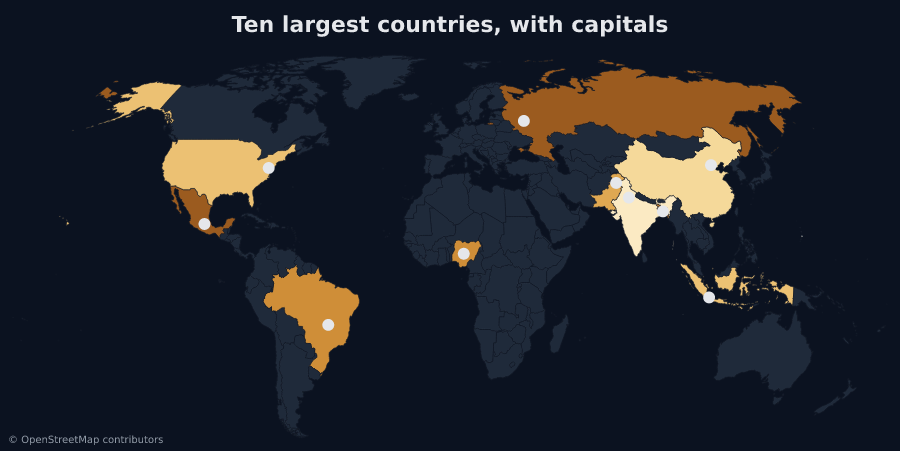
Prompts 1 and 2. The second call takes the first map's URL and returns a new one with the capitals on it.
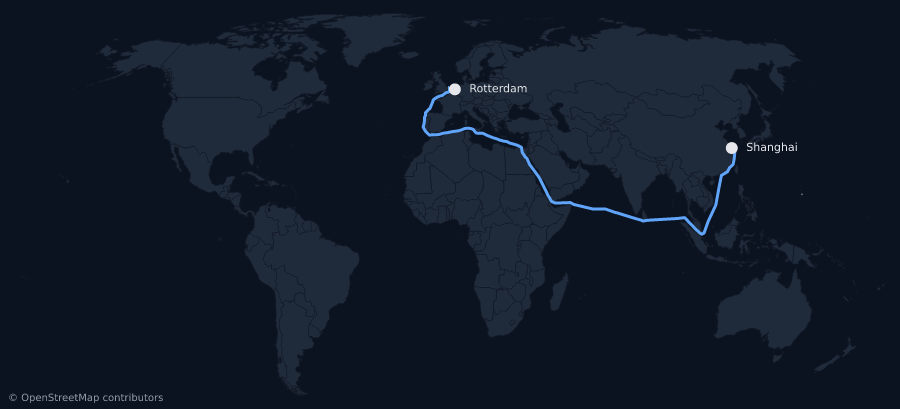
Prompt 3. Sea routes thread the shipping lanes through Suez, Panama and Malacca instead of cutting over land.
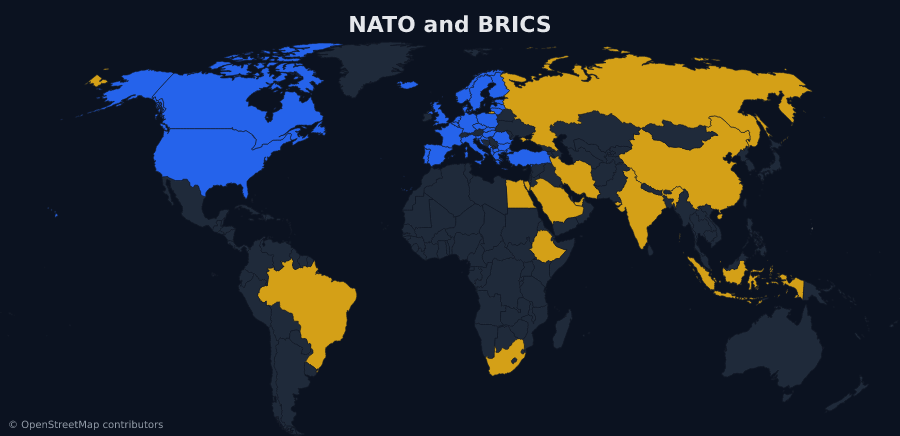
Prompt 4. The answer is a URL. Paste it into a README or a newsletter unchanged.
What the tools do
create_map
A map from countries, regions or values. Shade regions by number, paint them flat colours, sort them into categories, or just highlight the ones you name.
add_layers
Markers, routes, proportional circles, labels and pattern fills, added to a map URL you already have.
find_places
A place name in, real coordinates and the right region code out. Models recall coordinates badly, and a marker in the wrong country renders exactly as confidently as a right one.
describe_options
The scopes, themes, icons and projections the renderer actually accepts, so your assistant does not invent one that renders nothing.
Four tools. That is the whole surface.
The URL is the map
An agent normally leaves you an artifact — a file in a temp directory, gone when the session is. maproll leaves you an address.
prompt  →  your assistant  →  maproll MCP  →  api.maproll.io/map.svg?scope=world&data=…
                                                                 ↓
README · website · report · newsletter · the next tool callFree, and what a key changes
No signup and no key. Maps work the moment the server starts, and every map your assistant makes carries the maproll wordmark.
To switch the wordmark off, mint an API key in the editor at app.maproll.io and set it as MAPROLL_API_KEY in your MCP config. The key is the mechanism — signing in on its own changes nothing about what the renders carry.
OpenStreetMap attribution stays on either way. That is a licence obligation, not branding.
Read the docs